For Stock Photographers & Agencies
Automate Your Stock Photo Tagging with AI
Boost your sales by generating perfect titles, descriptions, and keywords in seconds.
Now with Editorial Batch Mode: fill country, city, and date once, then apply that metadata across the whole batch in one action.
Trusted by over 1,200 contributors worldwide
Verified on top stock platforms: Adobe Stock, Shutterstock, Getty Images.
New Feature
Editorial batches without repetitive manual entry
Working with 100, 500, or 1,000 editorial photos from the same event should not require filling the same metadata over and over. Set one photo's country, city, and date, then apply those values to the entire batch.
This keeps the workflow fast for event, travel, sports, and documentary shoots while still validating that every editorial photo is ready before analysis starts.
- Choose Editorial mode for the whole batch.
- Fill country, city, and date on one photo.
- Apply the same metadata to all photos in the batch.
- Start analysis only when every photo is ready.
Why Choose Stock Photo Analyzer?
Metadata Compliance
Automatic removal of brand names and forbidden terms to meet stock platform rules and avoid account bans.
Smart Keyword Generation
AI selects relevant, high-frequency keywords tailored to your photo's subject, mood, and context.
Safe Description Rewriting
Descriptions are rewritten in a safe and compliant style, even if brands or logos are present in the image.
Multi-Layer Quality Checks
Every title, description, and keywords list passes several validation layers for compliance and optimization.
Context Awareness
Our AI understands context: scene, emotions, model age, and location to create truly marketable metadata.
Shooting Context Input
Add shooting context (location, event, season, mood) so AI generates descriptions that match both image content and the real shooting scenario.
Editorial Batch Mode
Switch an entire batch to Editorial mode and require country, city, and date for every photo when working with news, events, travel, or documentary content.
Apply Metadata To All Photos
Fill editorial location and date once on a single photo, then copy that metadata across the whole batch instead of editing hundreds of images manually.
Ready-to-Upload CSV Export
Instantly generate properly formatted CSVs for Adobe Stock, Shutterstock, iStock, and more - without manual edits.
Why Metadata Compliance Matters
Most stock photo platforms (Adobe Stock, Shutterstock, iStock, and others) enforce strict metadata policies. Mistakes in titles, descriptions, or keywords (brand mentions, prohibited terms, or duplicates) can lead to account bans.
Stock Photo Analyzer automatically generates metadata that complies with the requirements of over 10 major stock photo agencies.
- Removes brands and prohibited words.
- Rewrites descriptions in a safe and compliant style.
- Selects relevant keywords and respects platform limits.
- Considers the photo's context, mood, and setting.
During metadata generation, the content undergoes multiple validation checks to ensure full compliance with stock agency standards.
We've invested months of testing and use advanced AI models (OpenAI + Vision) to ensure your photos receive perfect metadata and sell better.
Save time, boost your sales, and protect your account.
How It Works
Upload Photos
Easily upload your images in batch and choose royalty-free or editorial mode.
Prepare Metadata
For editorial work, fill country, city, and date once and apply it to the whole batch.
Download CSV
Get a complete CSV for Adobe Stock, Shutterstock, etc.
See It In Action
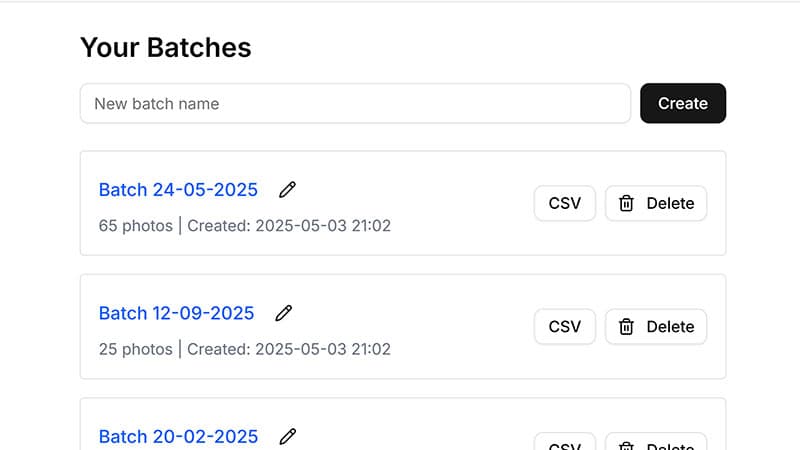
Manage Batches
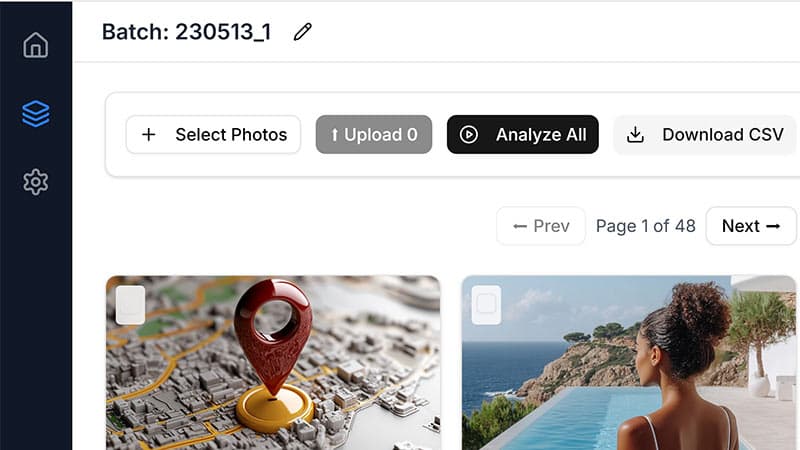
AI Analysis in Progress
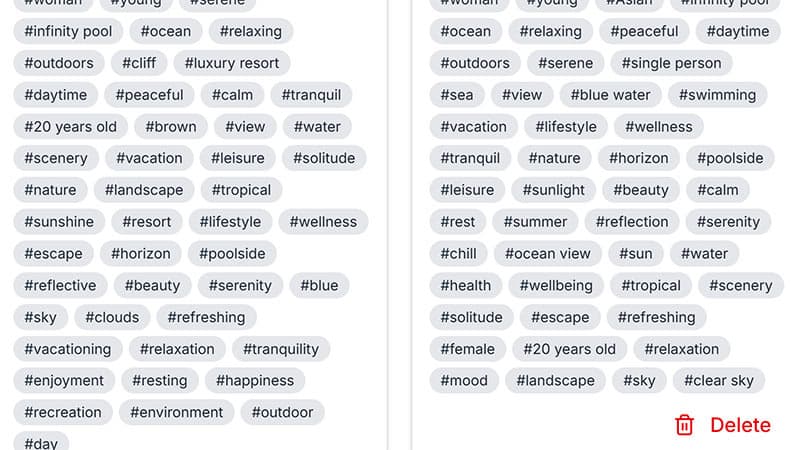
CSV Export Ready